Salesforce FSC Managed Package to Core: Data Migration Guide

Sam Hoult
October 12, 2026

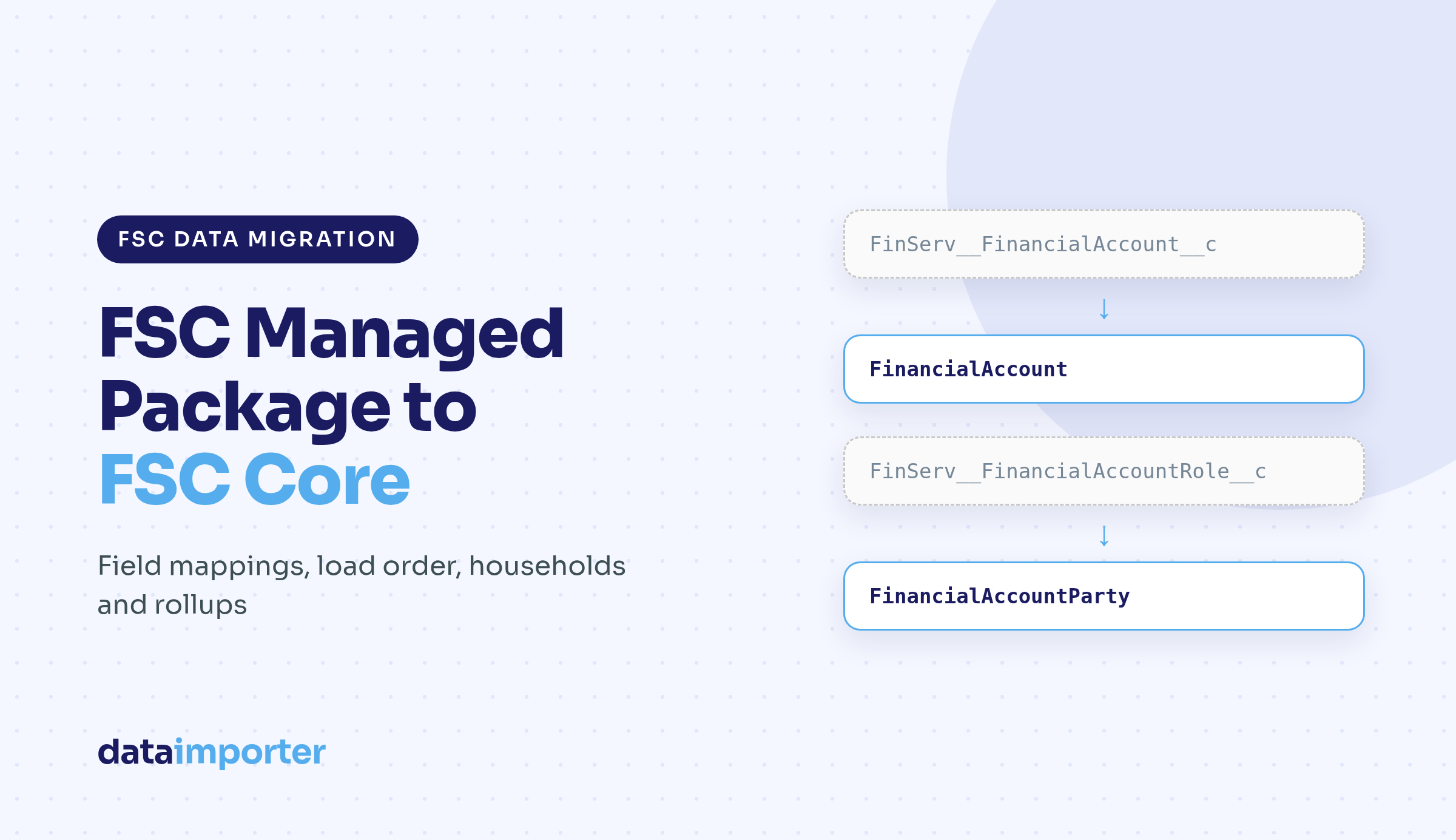
To migrate Financial Services Cloud (now Agentforce Financial Services) data from the managed package to FSC Core, you copy records from the FinServ__ objects into the standard objects that Salesforce now ships on the core platform, using Salesforce's published field mappings. There is no in-place conversion, and some package fields move to different objects or have no standard home.
The short version:
FinancialAccount, then FinancialAccountParty, balances, transactions, holdings and goals.This guide covers the data slice only. Rebuilding page layouts, flows, reports, OmniStudio components and integrations on the standard objects is separate work. Before cutover, also run through our Salesforce data migration checklist.
Financial Services Cloud launched as a managed package, so its objects and fields carry the FinServ__ prefix. Salesforce now calls implementing on the core platform the default and recommended approach. Financial Goals, the Financial Accounts data model, Groups and Households, and Rollups became available on the standard platform with Winter '23 and Summer '24.
"FSC Core" is shorthand for that standard data model: objects such as FinancialAccount, FinancialAccountParty, FinancialAccountBalance, FinancialAccountTransaction, FinancialAccountAddress and SecuritiesHolding, with no namespace. They were introduced in Summer '24 (API version 61.0) and only appear once the Financial Account Management Standard Objects setting is on.
Alongside the data, Apex, flows, reports and any integration that reads or writes FinServ__ fields has to move to the new API names. We found no official tool that converts package records into standard records. Salesforce's guidance is a set of field mapping articles for planning the metadata and data migration.
When the standard objects setting is on in an org that still has the package installed, users see both the package objects and the standard objects, plus both sets of console apps. Salesforce's advice is to use one model consistently and avoid mixing them. That gives you two practical options:
Either way, do the first run into a sandbox with the standard objects enabled, and agree a cut-off after which nobody creates records on package objects.
The object itself maps across directly:
FinServ__FinancialAccount__c → FinancialAccountSalesforce's field mapping article for Financial Account lists each package field and its standard equivalent, if one exists. The fields most teams need include:
FinServ__FinancialAccountNumber__c → FinancialAccountNumberFinServ__OpenDate__c → OpeningDateFinServ__CloseDate__c → ClosingDateFinServ__Status__c → StatusFinServ__HeldAway__c → IsHeldAwayFinServ__TotalCreditLimit__c → CreditLimitFinServ__ProductName__c → ProductIdFinServ__RecordTypeName__c → TypeFinServ__SourceSystemId__c → SourceSystemIdentifierFinServ__InterestRate__c → InterestRateFinServ__BranchCode__c and FinServ__BranchName__c → BranchUnitIdA few of these change data type on the way. InterestRate is a number field in the standard model while the package field is a percent. The package PolicyTerm__c picklist maps to Term, which is a number. Branch code and branch name are text fields in the package but become a lookup to a BranchUnit record, so branch units have to exist before financial accounts load.
The bigger job is the long list of package fields with no standard field at all, including PrimaryOwner__c, JointOwner__c, HouseHold__c, Description__c, TaxStatus__c and the performance percentages. For each one, decide whether it moves to another standard object (sections 4 and 5), becomes a custom field, or gets archived. Check whether anyone still uses a field before you recreate it.
The package stores the people and organisations on a financial account in Financial Account Role records. The standard model uses Financial Account Party, a junction object that records the role a person or organisation plays, such as owner, beneficiary or trustee.
FinServ__FinancialAccountRole__c → FinancialAccountPartyThe field mapping:
FinServ__FinancialAccount__c → FinancialAccountId (master-detail to FinancialAccount)FinServ__RelatedAccount__c → AccountIdFinServ__RelatedContact__c → ContactIdFinServ__Role__c → RoleFinServ__Active__c → IsRoleActiveFinServ__StartDate__c → RoleStartDateFinServ__EndDate__c → RoleEndDateThree details to plan for:
PrimaryOwner__c and JointOwner__c as lookups on the financial account and assigns the matching owner roles automatically. The standard FinancialAccount has neither field, so every owner has to become an active party record with the right role.Role__c picklist has a long, record-type-dependent list. Compare it with the standard Role picklist, add the values you need, and translate the rest during the load.Name is an auto number. Since Spring '25 the prefix has changed from FAR to FAP, so update reports and queries that filter on FAR.Because FinancialAccountId is a master-detail field, every party record needs its financial account loaded first.
Several things that lived as fields on the package financial account move to their own objects in FSC Core.
Balances. The standard FinancialAccount has no balance fields. Balances go to FinancialAccountBalance, one record per balance, with Type saying which balance it is, plus Amount, BalanceAsOfDate and a master-detail to the financial account. Salesforce's mapping lists these package fields as values of the Type picklist:
FinServ__Balance__c, FinServ__CashBalance__c, FinServ__InterestBalance__c, FinServ__EscrowBalance__c and FinServ__PrincipalBalance__cFinServ__AvailableCredit__c, FinServ__CurrentPostedBalance__c and FinServ__BalanceLastStatement__cFinServ__MinimumPayment__c, FinServ__PendingDeposits__c and FinServ__PendingWithdrawals__cSo one package financial account with four populated balance fields becomes four FinancialAccountBalance records. Decide which balances you need and which date to use for BalanceAsOfDate, since the package fields only hold the current value.
Addresses. The package address fields (Address1__c, City__c, PostalCode__c and so on) have no equivalent on the standard financial account. Salesforce points to FinancialAccountAddress for address details. We didn't find a published field-level mapping for that object, so map it against the object's fields in your org.
Holdings. In FSC Core, holdings on a financial account are stored on SecuritiesHolding, with instruments such as stocks and bonds on FinancialSecurity. Map package holdings to these objects field by field and check the result against Salesforce's current documentation.
Goals. Financial Goals no longer need the managed package, so goals move to the standard object:
FinServ__FinancialGoal__c → FinancialGoalWe didn't find a published field-level mapping for goals, so test with a few real client goals.
Households are modelled differently in the two versions, so plan this part before you load any financial data.
In FSC Core, a household is a business account linked to a Party Relationship Group with type Household. Members connect to that business account through AccountContactRelation records, which also hold their roles. Person accounts can belong to several party relationship groups at once, but each person can have only one primary group. Relationships between people, and between organisations, use Party Role Relationship records. These define role pairs such as Spouse-Spouse or Attorney-Client, for contact-contact (CCR) and account-account (AAR) relationships. Define every role pair before you load relationship records that use them.
In the package, households are also Account records linked to members through AccountContactRelation, but with package-specific fields for primary group and rollups, and a HouseHold__c lookup on the financial account that has no standard equivalent. A practical sequence is:
AccountContactRelation records with roles, active flags and the primary groupSalesforce's examples model individual clients as person accounts. If your package org models individuals another way, settle that design before you migrate anything.
Record types. The standard FinancialAccount has no equivalent of the package RecordTypeId__c. The package record type name maps to the Type picklist instead, and Salesforce suggests dynamic forms in Lightning App Builder in place of record-type layouts. Translate each package record type into a Type value and check the values exist in the target org first.
Picklists. Status, Type and Role are the picklists most likely to break a load. Compare source and target values and agree a translation for each before the first sample run.
Owners. OwnerId maps directly on FinancialAccount. In a new org, create users first and match them by username or email.
Sharing. Sharing rules are defined per object, so rules written for FinServ__ objects don't cover the standard objects. Recreate them, then log in as real users in the sandbox and check what they can see.
Automation. Flows, triggers and validation rules on Account, AccountContactRelation and the new objects run on every record you insert. Decide which ones to pause, and test how any package automation still active reacts to the new records.
Parents go in before children. A typical order for FSC Core is:
Product2 records used by ProductId, and any BranchUnit recordsAccountContactRelation recordsFinancialAccountFinancialAccountParty, from package role records and the primary and joint owner fieldsFinancialAccountBalance, FinancialAccountAddress and FinancialAccountTransactionFinancialSecurity, then SecuritiesHoldingFinancialGoalFinancialAccount IDsStore the package record ID on every new record. SourceSystemIdentifier holds the ID from your core banking or portfolio system and is listed as an External Lookup type, so add a custom External ID field such as Legacy_FinServ_Id__c for matching, reruns and reconciliation.
Once the map is agreed, the Dataimporter Salesforce to Salesforce migration tool can run it without a CSV export for each object. The relevant pieces:
FinServ__FinancialAccount__c to FinancialAccount and FinServ__FinancialAccountRole__c to FinancialAccountParty.FinancialAccountParty.FinancialAccountId and FinancialAccountBalance.FinancialAccountId this way. The parent object has to be in the template and run first.MAP, so Role values and record type names can be converted to the standard Role and Type values during the run. Static values in double quotes set fields such as a balance Type.FinancialAccountBalance with its own amount field and Type value.Dataimporter doesn't rebuild layouts, flows, OmniStudio components, reports or integrations, and it doesn't decide the field map for you. If you're also moving off another managed package, the same approach appears in our CPQ to Revenue Cloud data migration guide.
Rollups. Household and client totals are calculated, so don't migrate them as data. In FSC Core, Financial Summary Rollup uses predefined Data Processing Engine definitions, which you clone, customise and run on a schedule with flows, to aggregate values such as total investments and liabilities. Results are stored on Account Financial Summary records. Run them after each test load, because a missing party record or wrong household link shows up quickly as a wrong total.
Reconciliation. After each run, compare record counts per object (balances fan out), check every source owner has one active FinancialAccountParty record, total each balance Type against its package field, and have an adviser check a few households they know. Use Retry to rerun only the failed records once you've fixed the cause.
Rollback. Decide how you'll undo a run before you start it. Dataimporter's Rollback deletes the records an insert job created, including sample runs, for up to 7 days after the job. If the job updates existing records, such as AccountContactRelation in a same-org migration, take a backup of the records it will touch first so you can restore their previous values. For the full process after a bad run, see how to roll back a failed Salesforce import.
Moving from the FSC managed package to FSC Core means copying records from FinServ__ objects into standard objects that have a different shape. Financial accounts map almost one to one. Ownership moves to Financial Account Party, balances fan out into Financial Account Balance records, and households become business accounts with Party Relationship Groups. Get the field map agreed, load parents before children, test with real users in a sandbox, and recalculate rollups on the new data.
You can try Dataimporter for free and build your first Migration Template, or book a demo to walk through your FSC migration.
What is the difference between the FSC managed package and FSC Core?
The managed package delivers Financial Services Cloud objects with the FinServ__ namespace, such as FinServ__FinancialAccount__c. FSC Core uses standard objects on the platform, such as FinancialAccount and FinancialAccountParty, which you turn on with the Financial Account Management Standard Objects setting. Salesforce recommends the standard platform for new implementations.
Can the managed package and the standard objects run in the same org?
Yes, both are visible once the setting is on. Salesforce advises using one model consistently, so treat having both as a migration phase with a clear cut-off date.
Does Salesforce provide a tool to convert FinServ records to standard objects?
We didn't find one. Salesforce publishes field mapping articles between the package and the standard data model. The data has to be copied with a migration or data loading tool, in dependency order.
What replaces Financial Account Role in FSC Core?
FinancialAccountParty. Primary and joint owners, which the package kept as lookups on the financial account, also need to become party records.
Do I have to migrate household rollup values?
No. Rollups are recalculated. Configure Financial Summary Rollup and record rollups on the standard objects and run them after the data is loaded, then compare the totals with the package values as a check.

